Making games is super fun, but starting from scratch takes forever. If you want to drop your first game on the app store without spending years typing lines of code, you came to the right place! Buying a pre-made unity complete game project gives you a massive shortcut. You get the scripts, art, sound, and levels ready to roll. All you have to do is put your own spin on it and hit publish!
Want to build games faster than ever? Check out Sell Unity Code today to get premium game packages! Visit Our Website: SellUnityCode right now to grab your clean, ready-to-use template.
Using a full template saves you hundreds of hours. You do not have to figure out how to write basic player controls, setup scoreboards, or fix weird bugs. Everything works right out of the box. Whether you are learning how games work or launching a commercial app business, starting with full source files gives you an unfair advantage. Today, we will show you how to pick, tweak, and launch these amazing templates easily.
How To Pick A Winning Unity Complete Game Project
Choosing the right starter template helps you build a great mobile app without getting stuck on technical bugs. You want a template that runs smoothly on all mobile phones right out of the box.
- Look for templates with clean C# scripts and clear layout folders. Clean code lets you change graphics and game levels easily without breaking core rules. High quality code saves you days of headache.
- Make sure the project includes ready-to-use ad plugins and in-app purchases. A good unity complete game project comes ready for monetization so you can make money on day one.
- Check that the kit works on the latest software updates. A solid Unity complete game project will run on modern Android and iOS devices without crashing or showing black screens.
- Pick a project that fits popular mobile genres like puzzle, runner, or arcade. Popular game styles are easier to market and draw more downloads on Google Play and the Apple App Store.
- Verify that full documentation comes inside the download zip folder. Good instructions teach you how to reskin graphics, swap sounds, and export your final build fast without guessing steps.
Top Five Reasons To Buy Ready Game Source Code
Starting your game with pre-built files gives you a huge advantage over starting with a blank screen.
- You save hundreds of development hours by skipping basic setup tasks. A pre-made Unity game project already has menus, buttons, score systems, and sound effects set up for you.
- Indie developers save tons of money compared to hiring studios. Buying a premium Unity game source code costs a small fraction of hiring full-time programmers and artists.
- You learn professional coding techniques by studying working C# scripts directly. Opening a full Unity complete game source code package shows you how top studios structure real games.
- Launching games faster means you can test many different ideas on the app stores. You can release multiple games in a month to see what players actually like best.
- You avoid common engine bugs because the base mechanics are already tested. Using a stable unity complete game project keeps your rating high with smooth, crash-free gameplay.
Simple Steps To Reskin Your Unity Complete Game Project
Updating the graphics and audio transforms a template into your own unique mobile game fast. Wikipedia
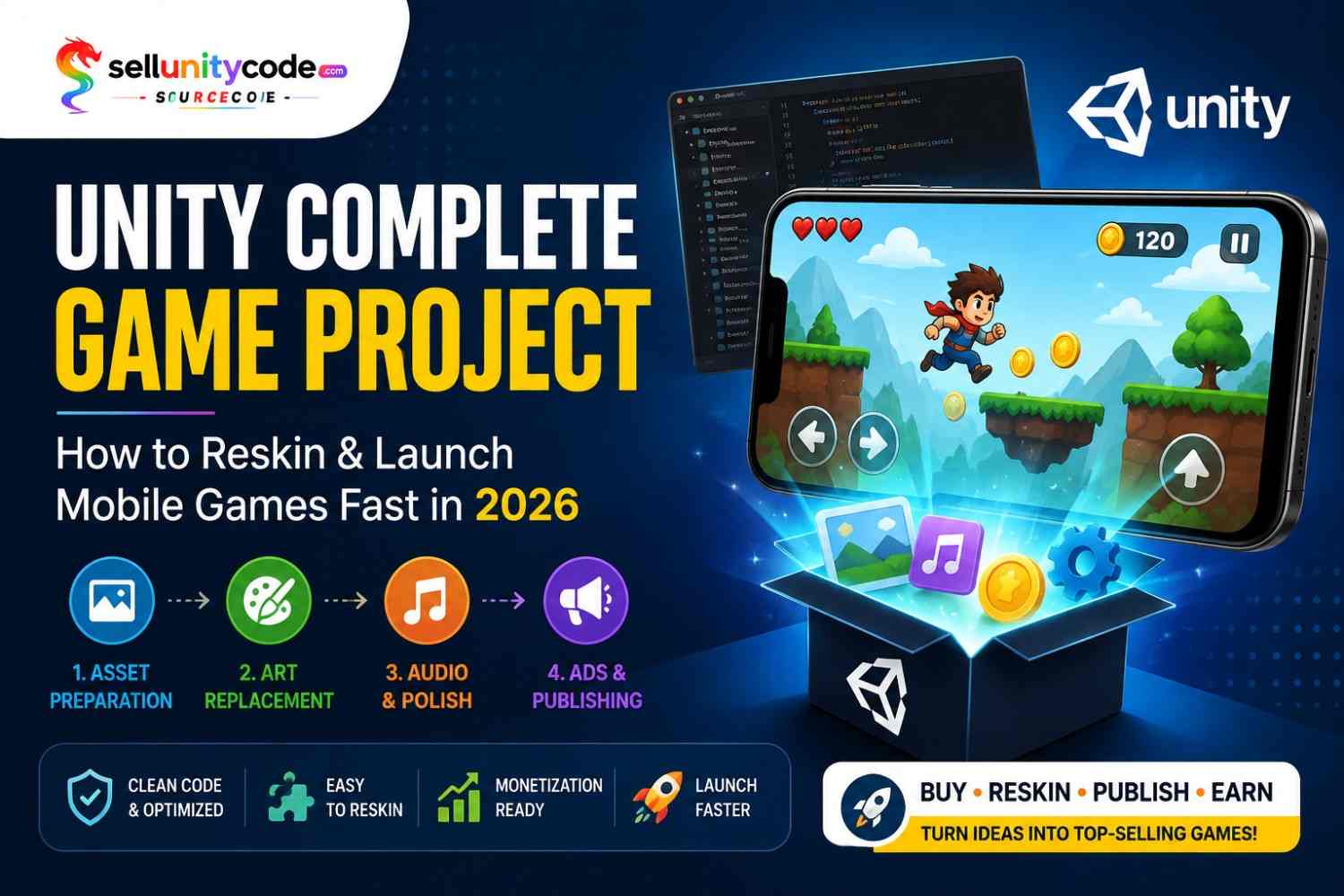
The 4-Step Reskin Process
1. Asset Preparation → 2. Art Replacement
Step 1: Asset Preparation
Export your artwork using the same dimensions, file formats, and specifications as the original game assets. This helps ensure your new graphics fit correctly without breaking the game’s layout.
Step 2: Art Replacement
Replace the original PNG files and other visual assets with your custom graphics. Keep the file names, dimensions, and folder structure consistent wherever required.
3. Audio & Polish → 4. Ads & Publishing
Step 3: Audio & Polish
Replace the original sound effects and background music with your own audio. You can also adjust color palettes, UI elements, animations, and other visual details to give the game a unique identity.
Step 4: Ads & Publishing
Add your AdMob ID or preferred advertising network, configure monetization settings, and export the final mobile build. Test the game thoroughly before publishing it on your target platform.
Quick Reskin Workflow
Asset Preparation → Art Replacement → Audio & Polish → Ads & Publishing
Following these four steps makes the reskinning process more organized and helps you transform an existing game project into a customized version faster.
Step 1: Replace The Graphics
Export your original sprite files from the asset folder to check their exact dimensions. Draw your new main characters, buttons, and background images using the exact same pixel sizes. Save your new pictures with identical file names so the engine replaces them automatically without breaking any visual layouts.
Step 2: Swap Sound Effects And Music
Locate the audio directory inside your active project window. Record original sound effects for jumping, winning, losing, and clicking buttons. Convert your new audio files into standard MP3 or WAV formats, then drag them into the audio folder to give your game a fresh, distinct feel.
Step 3: Connect Ad Networks And Revenue Tools
Open the monetization configuration script inside your Editor inspector panel. Copy your unique AdMob or Unity Ads app IDs from your developer dashboard. Paste these keys into the setup fields to ensure interstitial ads, rewarded videos, and banner ads show up correctly when players launch your game.
Step 4: Build And Export Your Mobile Package
Open your build settings window and select your target platform, such as Android or iOS. Update the bundle identifier name, set your version number to 1.0, and hit the build button. Test the generated install file on a physical test phone before uploading it to the app store console.
Comparing Free Game Templates Verses Paid Unity Source Code
Understanding the differences between free downloads and premium store files helps you avoid unexpected setup traps.
Here is a quick breakdown to help you pick the best option for your next game launch.
| Feature | Free Game Downloads | Premium Paid Source Code |
| Code Quality | Basic, often outdated C# code | Clean, optimized, professional scripts |
| Monetization | Rarely includes ad SDKs | Built-in AdMob and In-App Purchases |
| Bug Fixes | No update guarantees | Regular updates for new engine versions |
| Documentation | Missing or very brief | Detailed step-by-step setup guides |
| Support | No developer support | Direct developer help and bug fixes |
| App Store Ready | Needs heavy bug fixing | Ready to reskin and publish quickly |
How Smart Developers Make Money With Complete Game Codes
Using ready-made games lets you build a profitable digital software business with very low risk.
- Publish multiple casual games to build recurring ad revenue streams. Every unity complete game project you upload earns daily ad income through rewarded video placements.
- Offer customized reskin services to local business clients looking for branded games. You can take a standard Unity game project and turn it into a custom promotional game.
- Sell your newly reskin mobile games on online app marketplaces. Using high quality Unity game source code lets you flip complete app projects to investors for fast profits.
- Add in-app purchase items like extra lives, coins, or character skins. A well designed Unity complete game source code setup makes microtransactions simple for players to buy.
Why Choose Sell Unity Code For Premium Templates
Finding high-quality files is key to launching apps without stress or hidden errors. Sell Unity Code is built to give indie creators, studios, and beginners the best foundation possible.
When you shop at Sell Unity Code, you get hand-picked files that work smoothly right out of the box. Every single download on Sell Unity Code undergoes strict checks so you do not waste time fixing broken scripts.
- Access hundreds of trending game categories ranging from 3D action to 2D brain puzzles.
- Get full rights to modify code, change art, and upload your finished games to top mobile stores.
- Enjoy step-by-step user manuals that walk you through every reskin step in plain English.
- Rely on reliable customer support whenever you have setup questions or need technical guidance.
Using Sell Unity Code helps you bypass months of stressful coding work. You can go from an initial idea to a live store listing in just a few days!
Real Developer Experience: From Beginner To App Publisher
“When I started making games, I spent three months just trying to write smooth player movement for a 2D platformer,” says Alex, an indie developer. “I was getting frustrated and almost gave up on my dream of running an app business. Then I discovered Sell Unity Code.”
“I bought my first unity complete game project from Sell Unity Code and was amazed. Within two hours, I had a fully working game running on my phone. The C# code was super clean, and replacing the character sprites took less than an afternoon.”
“Over the next month, I reskinned three different templates using Unity complete game project files. I added custom sound effects, swapped the color palettes, and connected my ad accounts. Today, those three games bring in steady monthly ad revenue on Google Play. Buying pre-made source code from Sell Unity Code saved my game development journey!”
Conclusion
Building mobile games does not have to be hard or take years of hard work. By using a pre-made unity complete game project, you save time, reduce stress, and launch games faster. Whether you want to learn how real C# code works or build a portfolio of revenue-generating mobile apps, starter packages give you the exact tools you need to succeed.
Ready to launch your next hit mobile app today? Explore our huge library of premium templates, source codes, and developer tools over at Sell Unity Code. Visit Our Website: SellUnityCode right now to grab your clean, optimized template and start creating! We are always here to help you build, reskin, and publish your dream games faster!
Frequently Asked Questions
1. What is included inside a unity complete game project download package?
You get the complete project folder containing C# scripts, art assets, UI layouts, sound effects, animation controllers, and documentation. Everything is ready to open inside the engine and compile directly into a mobile app.
2. Do I need advanced C# programming knowledge to use a Unity complete game project?
No advanced coding experience is required. Basic understanding of navigating the editor interface is helpful, but clear documentation guides you through replacing graphics, changing text, and inserting your ad IDs without touching deep code lines.
3. Can I publish games created with a Unity game project on Google Play and Apple App Store?
Yes, you can publish your finished games on both stores. You just need to change the graphics, sounds, app name, and bundle ID to ensure your game looks unique before submitting it for store review.
4. How does using Unity game source code speed up my development timeline?
Using pre-built source code cuts out months of foundational work like writing game physics, creating UI menus, and debugging engine mechanics. You start at the finish line, focusing only on customization and marketing.
5. How do I monetize a game made from Unity complete game source code?
Most premium templates come with integrated ad plugins like AdMob or Unity Ads. You simply paste your unique ad unit IDs into the project settings to start displaying banner, interstitial, and rewarded video ads to players.
6. What is the difference between an asset pack and a complete source code package?
An asset pack only gives you individual pieces like 3D models or sound files. A complete source code package gives you a fully functional, playable game with all art, code, and menus connected and working out of the box.
7. Is it hard to reskin graphics in a ready-made game template?
Reskinning is very straightforward. You locate the image files inside the project folders, open them in your favorite art software, draw your new artwork over the original dimensions, and save them back with the same file names.
8. Can I add new levels or characters to my downloaded project?
Yes, full source code gives you complete freedom. You can build new level scenes, add extra playable characters, tweak game balance settings, or introduce completely new game mechanics whenever you want.